Changelog
[v1.9.0] - 2025-02-22
New Features
- Radio Rework:
- The radio functionality has been reworked to be more user-friendly and easier to navigate.
- You can now:
- Search for radios by name and play them directly.
- Apply audio filters and adjust the default volume for radios.
- Add custom links, such as your own playlist or radio station, and play them 24/7.
Commands
- `/247` - Enable/Disable 24/7 Mode:
- This command enables or disables the 24/7 mode for a specific bot.

- Available options:
- Bot: The bot you want to set (use
/listbotsto view all bots and active 24/7 bots). - Channel: The channel to set for the bot.
- Mode: Choose between:
DisableStickyRadio
- Bot: The bot you want to set (use
- After running the command, 5 buttons will be displayed:
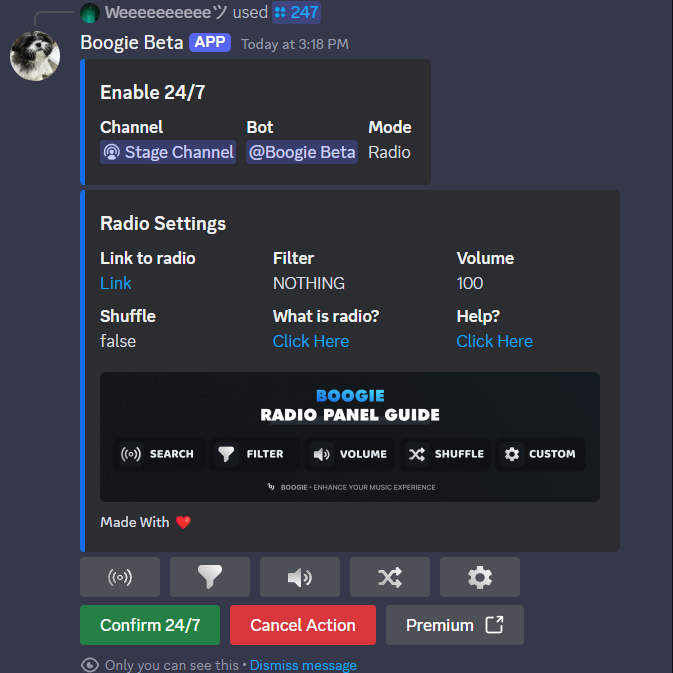
- Search: Search for radios
- Filters: Apply audio filters.
- Volume: Adjust the default volume for radios.
- Shuffle: Enable shuffle mode for radio playback.
- Custom: Add and play custom links (like your own playlist or radio station).
- `/radio-changesettings` - Change Radio Bot Settings:
- This command allows you to change the settings of a 24/7 radio bot (like radio station, filters, volume, and shuffle mode).
- Available option:
- Bot: The bot you want to configure (use
/listbotsto view all active bots).
- Bot: The bot you want to configure (use

New Platforms Supported
- Tidal
- Jiosaavn
- Apple Music
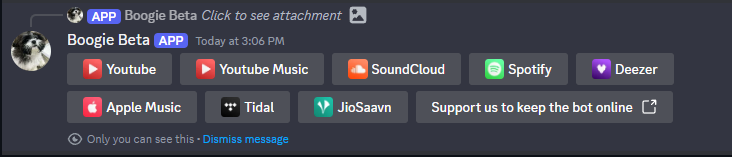
Now supporting: YouTube, YouTube Music, Apple Music, Spotify, SoundCloud, JioSaavn, Tidal, Deezer